Welcome to BIM Technologies
  
Artcore
  • Home
  • Services
  • Products
    • Autodesk
    • Bentley
    • Request Free Trial
  • Training
    • Autodesk Training
    • Bentley Training
    • Tekla Training
    • MS Project Training
    • Primavera P6 Training
  • Upcoming
  • Recruitment
  • Contact us

Upcoming Events

[searchandfilter fields=",category,post_tag" headings=",Dates,Cities & Countries" hierarchical="1"]

Month: May 2025

Complete Revit Course: Learn To Create Architectural Projects With Precision And Efficiency

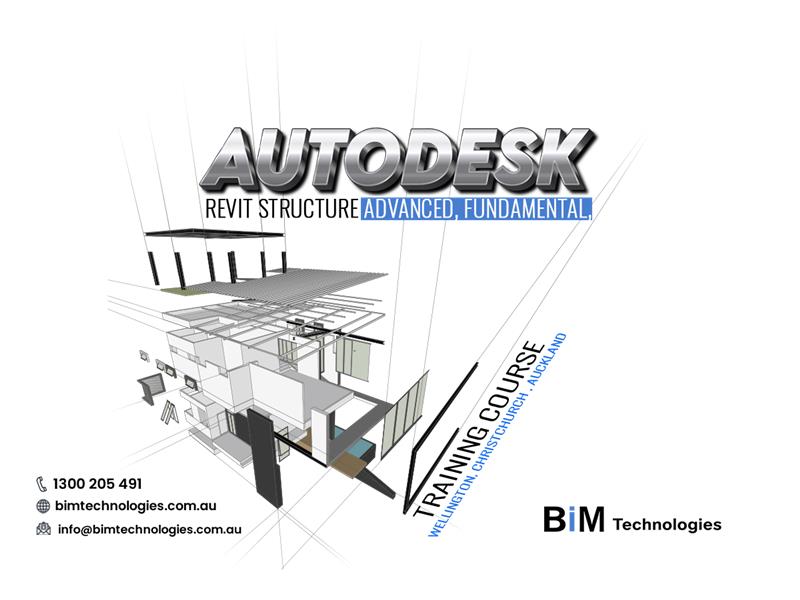
Master Revit Structure in Auckland, Wellington & Christchurch with our advanced & fundamental training courses. Plus, expert 3D Scan to BIM modeling services.

Complete Revit Course: Learn To Create Architectural Projects With Precision And Efficiency

If you are a student or professional in the field of architecture, civil engineering or interior design, you have certainly heard of Revit. This software is probably one of the most popular of its kind in the AEC industry. Used by architects and engineers throughout their projects, Revit has truly facilitated the work of professionals in the sector and covers all stages of design and construction, as well as across multiple disciplines.

After completing the Autodesk Revit structure advanced, fundamental, training course in Wellington, Christchurch, and Auckland, then you will become indispensable for creating high-quality architectural projects within the given time.

In this article, we will explore the main aspects of the Revit Course offered by BIM TECHNOLOGIES, and how it can boost your career and improve your technical skills.

Key takeaways of Autodesk Revit Structure Fundamental Training Course :-

After completing this course, you will have acquired the knowledge and skills necessary to :

  • Master the tool interface
  • Know how to model a building
  • Making the most of modelling tools
  • Successfully structuring a project template
  • Achieving the ability to model a residential pavilion in its entirety
  • Extract schedules, plans, sections, and professional renderings, including export to XLS and DWG formats
  • Print project deliverables
  • Structure a BIM project to manage a project
  • Master the operating principles of a family of objects
  • Know the templates supplied by default
  • Know what the standard options are by category
  • Implement object modeling
  • Mastering vocabulary and labels

When, how and why was Revit born ?

Revit wasn’t always part of Autodesk. It was developed by Revit Technology Corporation in 2000 to introduce parametric modeling to the industry. It wasn’t until 2002 that Autodesk acquired Revit. After this acquisition, Autodesk continued to evolve the software into the Revit we know today. Now, 3D modeling in Revit allows for both geometric and non-geometric information to be integrated into the model.

Why should you learn Revit ?

Revit is an extremely versatile and powerful program, used by architects and engineers around the world.  It allows you to create detailed three-dimensional models of buildings, offering a complete view of projects even before they are built.

Furthermore, With Autodesk Revit Structure Fundamental Training Course Wellington, Christchurch, Auckland, you will know the automatic generation of plans, sections, elevations and quantities, optimizing the technical documentation production process.

What is the course about ?

  • About the main tools and all the features of Autodesk Revit Structure that you need to use in your work.
  • About the structure of project data and classification of all model objects so that your work in the program is effective.
  • On the intricacies of creating a model of a building and individual families.
  • About creating and managing views in a project so you can easily create sets of drawings without manually setting up each sheet.
  • On working effectively with specifications so that you don’t waste time looking for ready-made solutions.

Benefits of using Revit for different industries :-

Revit’s features can be categorized by industry: primarily architecture, MEP (mechanical, electrical, and plumbing), structural engineering, and construction. Despite this classification, all these features are grouped into a single software package, allowing every professional to work with the same file format. All AEC professionals, regardless of their field, can use this software to create high-performance buildings and infrastructure.

[1] Revit architecture :

Modeling in Revit is made easy thanks to its extensive content libraries and its feature for placing walls, windows, and doors with great precision. 2D drawings – plans, sections, and elevations – can be generated quickly and, what’s even more advantageous, Revit Architecture also allows architects to analyze the energy performance of a building in the early stages of design for an optimized design. Once the design is complete, the software can create photorealistic renderings of the model for client presentations.

[2] Revit Structure Structural engineers :

The software facilitates the modeling of structural elements in 3D and integrates detailed information on design materials and constraints. Revit supports detailed design workflows for infrastructure projects, enabling efficient management of steel structures and strength analyses. With these tools, engineers can work faster and easily coordinate data with other stakeholders.

[3] Revit MEP :

 Revit MEP was developed to integrate MEP (mechanical, electrical, plumbing) engineers into a comprehensive environment for the AEC industry. Revit’s architectural modelling capabilities were insufficient to meet the needs of MEP engineers, so Revit MEP focuses on technical building systems. It offers specific content libraries, allowing engineers to model, analyze, and coordinate technical installations more efficiently. This integration into a BIM environment facilitates collaboration and accuracy in infrastructure projects.

What do we do in the course ?

Getting to know the functionality and concept of working in the program

  • Learning to work with a task from architects
  • We create load-bearing and supporting elements of the model
  • Learning to design basic families
  • We work with an analytical model of the building and transfer it to calculation complexes. We perform reinforcement of structures.
  • We repeat and get used to all the techniques for correctly creating and changing a model. In the end, we receive a building project, as well as a lot of information and ideas for further improvement and work on complex projects and the RD stage.
  • Each course topic is supported by a number of practical assignments, some of which are completed together with the teacher and some independently.

What are the Plugins for Revit ?

Revit’s functionality is further enhanced by numerous plugins and extensions tailored to different workflows. These plugins can be provided by Autodesk or third-party developers. The list of plugins available for Revit is endless. Whether you need a tool for parametric modeling or plugins like Dynamo and Rhino.Inside.Revit are at your disposal. If you want to render your models in BIM, Enscape and Twinmotion are popular options.

[1] Dynamo :

Dynamo is arguably one of the most well-known Revit plugins. Similar to Grasshopper for Rhino, Dynamo allows for computational design and task automation within the Revit interface, without the need for additional software.

[2] pyRevit :

pyRevit is a plugin that helps solve common Revit problems and improve workflows. This plugin includes several tools that are often found to be very useful for accomplishing tasks that would otherwise be inefficient with the Revit interface.

[3] Rhino.Inside.Revit :

With the Rhino.Inside.Revit plugin, it’s now possible to document parametric models for BIM workflows in Revit. This plugin integrates the Rhino 3D interface into Revit, with Grasshopper included in Rhino 3D. Architects can now produce native models with Revit components and Grasshopper scripts, for an optimized workflow between parametric design and BIM. Grasshopper can also operate independently within the Revit interface, without the need for Rhino 3D as an intermediary.

Now you have a basic idea about Revit courses and all the details of this software. But there are some people who are actually confuse Revit with BIM, but it’s important to make the distinction. BIM (Building Information Modeling) is not a software program, but a methodology that encompasses the entire design, management, and documentation processes in the architecture, engineering, and construction (AEC) field.

Revit, on the other hand, is software designed to apply these BIM principles, allowing professionals to model, structure, and collaborate on architectural and engineering projects. In other words, Revit is a BIM tool, but BIM is not limited to Revit. So, going beyond this concept, we are going to discuss a topic that is Scan to BIM modeling service.

What is Scan to BIM ?

Scan to BIM is a process that helps with productivity and knowledge of a project. It is often used in renovation projects of existing buildings. It helps identify potential design and construction issues before the construction phase, saving time and costs.

Therefore, you can hire 3D Scan to BIM modeling services in Auckland, Wellington, and Christchurch to apply in various and diverse stages of the development of projects and constructions.

How does scanning for BIM work ?

The use of a Laser Scanner is necessary with specifications compatible with the need and level of detail that the work requires. When the equipment emits the laser beam, it captures information based on what we call points. Therefore, due to the large number of points captured, they form a highly precise three-dimensional system. This set of points is called a point cloud and the more points the cloud has, the greater the precision achieved.

Therefore, the number of points collected per second and the range of the equipment for capturing points depends on the service needs and influenced by the choice of Laser Scanner.

Therefore, to get the full service, you should hire 3D Scan to BIM modeling services Auckland, Wellington, and Christchurch.

This service ensures better monitoring and efficiency in the management of works and topography projects.

| Let’s sum it up ! |

As you can see throughout the blog, Revit and Scan to BIM have become an essential tool for architecture, engineering, and construction (AEC) professionals. Their ability to centralize all project information in a single model, not only increases efficiency but also reduces errors and costs during the construction process. If you truly want to maximize your skills and stay competitive in an ever-changing industry, get in touch with BIM TECHNOLOGIES.

Our Revit training is specifically designed to help you master this powerful software and harness its full potential. On the other hand, our scan to BIM service will create accurate, detailed digital models of existing buildings, construction for renovation, and new construction projects. It’s the perfect opportunity to hone your skills and improve the quality of your projects.

Get in touch with us !

Safeguarding Lives through Revit MEP Fire Protection 3D Modeling Services

Offering expert Revit MEP fire protection 3D modeling services in Wellington,Christchurch,Auckland with an accurate efficient,compliant designs-bimtech

Safeguarding Lives through Revit MEP Fire Protection 3D Modeling Services

When it comes to building a safe and secure infrastructure, fire protection isn’t something you can afford to overlook.

With the growing demand for smarter, safer, and more efficient construction, Revit MEP Fire Protection 3D modeling services in Wellington, Christchurch, and Auckland is transforming how fire systems are designed and coordinated.

These services use intelligent 3D models to plan everything from sprinkler systems to fire pumps ensuring that precision, code compliance, and seamless integration have been maintained with other building systems. Whether you’re working on a hospital, high-rise, or industrial plant, this efficient software helps eliminate errors, save time, and enhance the safety of the entire project. Let’s explore why it’s becoming a crucial tool used in modern projects.

An Introduction to Hiring Revit MEP 3D Modelling :-

Since the 1970s, the birth of digitalisation has played a significant part in the construction and engineering industry. Soon after computer-aided design (CAD) was introduced as a new approach replacing traditional pen and paper drafting. As a result, the professionals started to encounter a few errors while proceeding with the construction work.

But, this approach soon started to receive harsh criticism as designing a building requires much more than relying on visuals. As the complexity of construction project started to increase, the demand for powerful software also started to increase simultaneously.

Hence, in 1997 the Revit software was introduced. This software facilitated smart mechanical, electrical, plumbing and fire protection models with the help of detailed data integration. As of now, the Revit MEP 3D Modelling Services in Christchurch manages three disciplines – mechanical, electrical and plumbing.

Discovering the Benefits of Hiring Revit MEP 3D Modelling Services :-

✦ [1] Precise designing :

The Revit software facilitates in designing duct, pipe and cable tray with the help of embedded data. This accurate precise proves to be quite useful in designing accurate layouts and routing of the entire project. This kind of smart designing process mitigates the conflicts and revisions that might arise while proceeding with the actual construction project.

✦ [2] Clash detection and seamless collaboration :

One of the major benefits of Revit MEP 3D Modelling Services Wellington is that allows the user to detect as well as resolve the clashes between the MEP systems and other building elements. As a result, the professionals would not only have to deal with reduced on-site errors and change orders but would also maintain smooth coordination among various disciplines.

✦ [3] Streamline collaboration :

Unlike other software, Revit allows multi-user environment, making it easier for the mechanical, electrical and plumbing teams to efficiently work alongside various professionals such as architects, contractors and structural engineers.

This enhanced collaboration offers real-time updates about the project, establishes clear communication across teams and facilitates the approval of the decisions related to the project.

✦ [4] Economical :

Another popular reason behind availing of Revit MEP 3D Modelling Services in Auckland can significantly reduce the cost of the project by swiftly eliminating the manual coordination tasks, detecting potential issues at the early stage of the design and generating accurate reports of various materials.

✦ [5] Detailed documentation :

Once the 3D models have been designed in this software, the user could generate various necessary 2D plans, elevations, sections and schedules with complete ease. This ensures that a proper alignment has been maintained with building codes and regulations while offering improved clarity to the contractors.

✦ [6] Scalability :

Irrespective of the type of project that you are working on, this software is scalable. This indicates that this software can efficiently handle various complex systems and large-scale coordination with ease, making it suitable for multiple kinds of project.

An Overview of Revit MEP Fire Protection 3D Modeling :-

Well, Revit MEP Fire Protection 3d modeling services in Wellington are known for their smart approach towards designing fire safety systems in buildings.

With the help of this service, the engineers could create detailed, accurate, and fully coordinated models of fire sprinklers, piping networks, pumps, and related components. With Revit, these systems are not only visually represented in 3D but also embedded with real-world data for better planning, code compliance, and collaboration. This modern method helps to reduce errors, improve construction efficiency, and ensure the safety and reliability of fire protection has been maintained throughout the designs of various kinds of building projects.

Key Uses of Revit MEP Fire Protection 3D Modeling Services :-

✦ [1] Precise design :

This software allows the designer to create data-rich and parametric 3D models entirely for fire protection systems including sprinklers, valves, pipes and pumps. Each of these elements is creates in a precise manner so that they could behave intelligently and adjust dynamically to the changes in the design.

As a result, not only would you receive an accurate size of the essential components but would also achieve complete coverage against potential hazards.

✦ [2] Clash detection :

While developing fire protection systems, the designer must implement complete accuracy while designing ducts, electrical conduits and other essential structural components. With the help of this feature, the user could easily prevent on-site conflicts, reduce the need of costly design revisions and facilitate in planning efficient route of the piping networks.

✦ [3] Alignment with the building code :

With the help of Revit MEP Fire Protection 3d modeling services in Auckland, the designer could ensure that the entire fire protection system has been designed and installed by the relevant building codes and regulations. This also ensures that the designed project would get immediate approval from the relevant authorities.

✦ [4] Detailed documentation :

Once the designing of the construction project gets completed, this software would generate a 2D documentation which would include detailed description and layout of the floor plans, equipment schedules and more.

Hence, any changes or modifications that have been added to the model would get automatically reflected in these drawings. This feature aids in maintaining clarity and accuracy among the contractors.

✦ [5] Team collaboration :

As compared to the other software, this one is particularly known for its enhanced collaboration being maintained among the professionals working in a shared model. As a result, this leads to less chaos while maintaining a smooth flow of the project lifecycle.

✦ [6] Saving of time :

This Revit MEP Fire protection 3d modeling services in Christchurch can streamline the entire design and construction process leading to faster completion of the project as it significantly reduces the frequency of rework. Not only does it shortens the entire design cycle of the project but also optimises the usage of materials through accurate BOQs.

| Conclusion |

As of now, the use of Revit MEP Fire protection 3D modeling services in Wellington, Christchurch, and Auckland have entirely dominated the BIM software market by offering a wide range of benefits that successfully eliminates clashes and establishes a smooth flow of operations.

To learn more about the importance of this particular service, make sure to contact the efficient team of BIM TECHNOLOGIES.

What to consider for the best benefits of Revit family creation in BIM services

Need Revit families or 3D Scan to BIM in Auckland,Wellington, Christchurch?bim offers expert Revit family creation and Scan to BIM modeling services in NZ.

What to consider for the best benefits of Revit family creation in BIM services

Do you know what are the benefits of Revit family creation in BIM services? To say simply, there are many. But you need to consider some important things in this regard.

These considerations on Revit family creation services in Wellington, Auckland, and Christchurch will help you have the right approach and lead you to have superior project outcomes.

Enhancing collaboration, improving efficiency, reducing costs, and providing a visual representation of building projects will, therefore, be easier to manage. Let’s start the blog from the basics.

Understanding the basics of Revit Family Creation Services :-

Two characteristics of Revit family creation services in Wellington will make you well-acquainted with its basics.

[ⅰ] customisable components :

The most important characteristic of Revit Family Creation Services is their customisable components. Revit family creation services allow for the development of customized building components tailored to specific project requirements. This flexibility is crucial for creating unique designs and ensuring that every element smoothly fits into the project.

[ii] superior efficiency :

Another characteristic is superior efficiency. Customised families lead to enhanced efficiency in the construction design process. Using pre-defined families saves huge time on repetitive tasks and minimises errors, quickening the project delivery.

Which things are important to consider for Revit family creation ?

To get the best of benefits out of Revit family creation services in Auckland, you should keep some significant considerations in mind. See below.

[Ⅰ] Skill level :

Make sure that the providers of Revit family creation services have the essential expertise and a proven track record in creating high-quality families. Evaluating their past work can provide insight into their skill level.

[Ⅱ] Cost implications :

Weigh up the pricing structure for Revit family creation services. It’s essential to factor in the overall cost against the benefits gained through customisation and efficiency improvements.

[Ⅲ] Compatibility :

Check that the families created will be compatible with existing project files and BIM software versions to avoid integration issues down the line.

[Ⅳ] Maintenance and updates :

Evaluate how the created families will be maintained over time. Regular updates will be necessary to adapt to new project requirements and changes in building codes or technologies.

[Ⅴ] Training requirements :

To fully utilize customized Revit families, systematic training is important. It gives the surety on your team that it is capable in the new families and maximise the return on investment.

Top 5 Beneficial aspects of Revit family creation in BIM services :-

When you follow all those above-mentioned factors, you are sure to get the below benefits of Revit family creation services in Christchurch.

[ⅰ] Superior visualisation :

Using the comprehensiveness of Revit family creation allows for superior visualization of the project throughout its lifecycle. This helps clients and stakeholders in understanding the design intent, leading to more informed decision-making.

[ⅱ] Speed of design Changes :

In a dynamic design environment, the ability to make rapid changes to components is very important. Custom families can be modified simply to accommodate eleventh-hour changes, ensuring that the project stays on schedule.

[ⅲ] Better collaboration :

A well-structured family library facilitates superior teamwork among different stakeholders. Architects, engineers, and contractors can work from the same sets of families, reducing communication gaps during the design phase.

[ⅳ] Data-rich modeling :

Each family is great to contain valuable data that can be the load-taker for project management and sustainability assessments. This fits well with practices aimed at energy efficiency as well as lifecycle management.

[ⅴ] Consistent quality :

Revit family creation ensures that all elements adhere to the project’s standards and specifications. This consistency contributes to a higher quality outcome and reduces complications in time of construction.

Some on 3D Scan to BIM Modeling Services :-

At the same time, you should consider the case of 3D Scan to BIM Modelling Services in a similar way.

Let’s know of the two most important characteristics of 3D Scan to BIM modeling services in Auckland, Wellington, and Christchurch.

[Ⅰ] Accurate Data Capture :

3D scanning technology captures precise measurements and geometrical data, which is critical for creating accurate BIM models. This leads to better planning and fewer errors during construction.

[Ⅱ] As-Built Documentation :

For renovation or retrofitting projects, 3D scan to BIM provides accurate as-built documentation. This is essential in understanding existing conditions before any design changes are made.

Revit family creation services Wellington, Auckland, Christchurch

3D Scan to BIM Modelling: Which things are important to consider ?

These things should be kept in mind before approaching for 3D Scan to BIM modeling services in Auckland.

[i] Choosing the right technology :

Different scanning technologies may be suitable for different types of projects. Ensure that the service provider has the proper equipment for your specific needs.

[ii] Integration challenges :

Consider how the scanned data will integrate with existing BIM systems and workflows, as compatibility issues can arise if not addressed early on.

[iii] Training and expertise :

Ensure that the team handling the 3D scan to BIM process is trained and experienced to avoid any misinterpretation of the data gathered.

[iv] Budgetary preparation :

Evaluate the overall costs associated with 3D scanning, including the technology investment, labour, and any potential need for specialized software.

Top 5 Beneficial aspects of 3D Scan to BIM Modeling services :-

When you follow all those above-mentioned factors, you are sure to get the below benefits of 3D Scan to BIM modeling services in Wellington.

[Ⅰ] Time-Saving :

Using 3D scanning to create BIM models significantly reduces the time spent on manual measurements and drafting, allowing teams to focus on design and project management.

[Ⅱ] Reduced Errors :

High accuracy means fewer discrepancies during construction, which can save costs associated with rework and delays.

[Ⅲ] Enhanced Visualization :

3D models created from scans offer stakeholders a realistic view of existing conditions, facilitating better planning and communication among project teams.

[Ⅳ] Improved Decision-Making :

The detailed data captured through scanning allows for more informed decision-making during the design phase, particularly in complex projects with intricate details.

The Conclusion | Finding the solution :-

In the realm of revolutionising the architecture, engineering, and construction (AEC) industries, you should the right step in the right time. When you understand basic characteristics, considerations associated with Revit family creation and 3D scan to BIM modeling services, stakeholders in the AEC industry can get the optimal benefits. At the end of the day, they can make informed decisions, enhancing project outcomes and streamline processes.

Without a second thought, just come to us at BIM Technologies. Here you will have all the assistance for training courses and software products very easily. They have quality faculty and, the latest study materials as per the latest industry standards.

Also, you will have a reliable learning methodology for enhanced learning outcomes for Revit family creation services and 3D Scan to BIM modeling services in Christchurch.

Contact us soon to enhance your project skills to the next higher level.

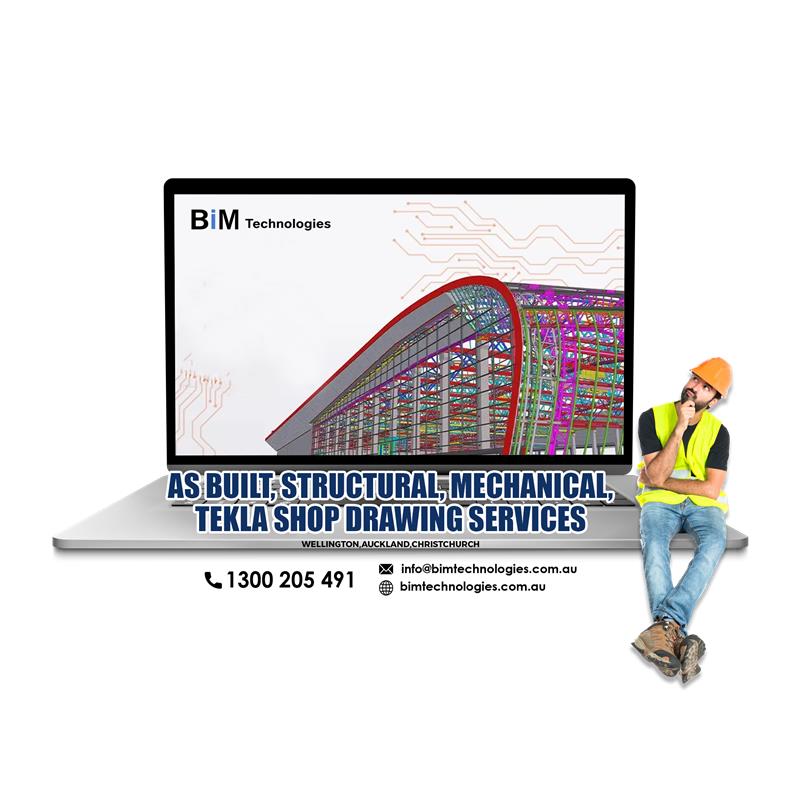
Crafting the Future through As built, Structural, Mechanical, Tekla Shop Drawing Services

Crafting the Future through As built, Structural, Mechanical, Tekla Shop Drawing Services

In the fast-paced world of construction, precision is everything. Whether it’s structural steel, mechanical systems, or the final as-built documentation, every single detail matters.

To solve the problem of precision where the use of As built, Structural, Mechanical, Tekla shop drawing services in Wellington, Auckland and Christchurch have been popularised. These drawings services are primarily known for turning design intent into buildable reality.

From Tekla-driven 3D models to accurate structural and mechanical layouts, these drawings ensure projects run smoothly from fabrication to installation. On the other hand, as-built drawings capture what was actually built, providing a reliable record for future maintenance or renovations.

In this blog, we’ll explore how specialized shop drawing services such as structural, mechanical, and Tekla play a vital role in delivering quality, accuracy, and efficiency on every project :-

What are As-Built Drawings ? What is its Importance in the AEC Industry ?

The use of As-built drawings in Wellington, Auckland and Christchurch assists the concerned professionals in successfully complete the construction stage due to the generation of enhanced layout of the project.

The designers would further utilise this service to set a comparison between the as-built drawings and original drawing that has been made at the initial stage of the project. These detailed drawings are only utilised for examining the changes that has been made during the construction phase of the project.

In short, as built drawings skilfully display the geometry of the completed work while allowing the user to track and record the changes that has been added to the project throughout each stage.

The importance of As built drawings Wellington offers a complete history of changes as well as update that has been made to the project. These changes are further used as a point of reference while executing any kind of repairs or renovation work.

This massively assists the contractors to save the required amount of time and effort as they do not have to take the hassle of determining the existing conditions of the structure. Instead they can utilise they can utilise the drawings and immediately work on the renovations or enhancements tasks.

How to Use As-Built Drawings ?

As discussed, the use of As built drawings in Auckland mostly benefit the users that are involved in the construction phase. Here are some detailed steps that will show you the ways of using as-built drawings.

Step 1 | Utilising the specifications as a point of reference for the project :

To document the changes, make sure to review the specifications that have been listed in the original project’s drawing. This would aid in setting a comparison between the original and as-built drawings.

Either use a physical copy or take a picture proof of the changes that have been added to the construction process. These could be used as points of reference that have been made throughout the construction process.

Step 2 | Creation of a clean and labelled drawing :

After recording the changes that has been made to the construction process marks the beginning of the as-built drawing. Make sure the drawing that gets created is clean and labelled in nature so that it becomes easier for the other project members to easily understand.

Step 3 | Utilising the tools of the software to achieve the desired structure of the drawing :

Although the designers could take the manual approach of drawing the required structure with the use of pen and paper, but due to technological advancement, there are several software available in the market that aids in drawing the desired structure of the project, saving a substantial amount of time and effort. Remember, the use of efficient software aids in enhancing the overall efficiency of the project.

Step 4 | Saving and reviewing of the final drawing :

Once the design and construction of the drawing have been completed, the file can be saved for future reference. This saved file of the As-built drawings in Christchurch can be further used by the remaining project members to review the additional details about the entire construction process.

This further assist them to determine what kind of tools, equipment and materials they must utilise to construct the structures successfully.

Understanding the Various Types of Mechanical Shop Drawings :-

(I) Mechanical Shop Drawings :

It includes the comprehensive details of the design and operation of the mechanical systems. This kind of Mechanical Shop drawing Services in Auckland, Christchurch and Wellington assist the engineers and equipment manufacturers to produce precise and accurate MEP parts and apparatus.

The elements that are developed under this segment are utilised for effective heating, ventilation, air conditioning and transportation system.

(II) Electrical Shop Drawings :

The designers could create an outline/layout of the electrical equipment used in the devices and buildings, offering a roadmap for the electricians during the installation and maintenance process.

Under this service, one could easily outline the flow of power distribution through panels, subpanels, load calculation and lighting system.

(III) Plumbing Shop Drawings :

The generation of plumbing drawings are quite essential for the efficient installation, repair and alteration of plumbing equipment in the buildings.

The drawings that are generated out of this Mechanical Shop drawing Services in Auckland plays a crucial role in designing sustainable water supply systems, drainage and sewage systems, appliance and fixture location and gas distribution system.

Exploring the Importance of Mechanical Shop Drawings :-

The elements that are drawn out of Mechanical Shop Drawing Services in Christchurch aid in identifying potential issues while ensuring that the final products meet the building codes and regulations.

Here are some of the ways where this particular service could prove to be advantageous for your next construction project :-

1. Developing accurate building design representation and assembly :

As discussed, this service aids in creating the final outline of the product assembly with accurate dimensions and measurements. Owning to these detailed drawings, the fabricators as well as building contractors can easily obtain a clear picture of what is to be constructed.

2. Offering built-in documentation for quick reference :

In case the designed components get damaged, the contractors could easily refer to the mechanical drawings to locate the specific parts that require the repair work. These accurate drawings aid in resolving problems that might arise during the actual work of the construction.

3. Accurate estimation of the related cost :

Generating the accurate cost required for the project aids in planning the estimated budget. Any mishap could increase the cost and result in incurring unwanted expenses. Thus, keeping tabs on the cost of manufacturing business prevents any kind of waste and overstocking.

4. Standardisation of the product :

This Mechanical Shop drawing Services Wellington aids in standardising the entire building process so that the products perfectly aligns with the industry standards. This enhances the chances of securing license and building permits.

Is there any Relation between Structural Shop Drawing Services and Tekla Shop Drawings Services ?

There is a significant overlap and connection between Structural, Tekla Shop drawing services in Auckland, Christchurch and Wellington. While structural drawing are used as a general term for defining detailed drawings used in the construction, on the other hand the Tekla shop drawings particularly refers to those drawings that has been generated with the help of Tekla software.

Both of these services aim to offer detailed information related to the fabrication and construction process. However, nowadays most of the structural shop drawings make use of the Tekla software as it streamlines the process and improves the overall quality of the construction project.

Key Features of the Structural Shop Drawing Services :-

Well, the Structural Shop drawing services in Auckland, Christchurch and Wellington are a critical component of any construction or fabrication project, especially in steel, concrete, or wood structures.

These drawings serve as the bridge between design intent (from architects and structural engineers) and the actual fabrication of the construction project.

Here are some of the key features that are associated with this particular service :

(1) Detailed representation of the structural components :

Structural shop drawings provide precise visual representations of structural components, including beams, columns, and connections. These details guide fabricators in manufacturing and assembling the elements exactly as per the required design.

(2) Designing structural elements with precise dimensions :

Every structural element is illustrated with exact measurements and tolerances. These dimensions ensure fabrication is done with accuracy while minimising on-site errors. This kind of support maintains seamless integration with other building systems during construction.

(3) Defining specifications of the materials :

The structural shop drawings specify the materials used for each component, including grade, type, and finish. This ensures compliance with structural requirements and helps procurement teams source the correct materials efficiently.

(4) Generating accurate connection and assembly details :

Specific details that are involved in the project such as weld sizes, bolt types, and joint configurations are clearly outlined with the help of this particular drawing service. This detailed information ensures structural stability of the project has been maintained and that the entire process is proceeding in a smooth, safe, and structurally compliant manner.

(5) Maintaining compliance with the industry standards :

The drawings that are generated out of this service must completely align with local and international codes. This ensures legal compliance, and structural safety, and simplifies the review and approval process by stakeholders.

(6) Smooth integration with BIM :

Modern drawings are often generated from 3D models using BIM tools. This enables accurate visualization, better clash detection, and enhanced coordination with other building systems before construction begins.

What Are the Uses of Tekla Shop Drawings Services ?

The uses of Tekla Shop drawing services Wellington can be perfectly described in two words – comprehensive and accurate. In addition to that, here are some of the reasons that justify why these features stands out as preferred software.

(1) The precise use of 3D modelling capabilities :

The intuitive interface as well as advanced 3D modeling tools aids in offering accurate representation of the complex geometrics, allowing the designers and engineers to accurately create structural 3D models for buildings, bridges and industrial plants. This kind of precision ensures all of the components fit perfectly, reducing the chances of errors and rework.

(2) Designing constructible data :

The data generated out of this software aids in enhancing the accuracy while simultaneously reduces the rework required during the project. As a result, this levels up the profitability while minimising the chance of utilising uncoordinated construction documents.

(3) Deploying the use of powerful clash detection and coordination :

The efficient use of clash detection tools aids in identifying as well as solving conflicts that might arise during the early stages of the design phase. Thus, the use of Tekla software established proper coordination among the project stakeholders while creating an efficient path for the entire construction process.

(4) Understanding design optimisation :

Did you know that Tekla shop drawings services allow multiple stakeholders to simultaneously work on the exact model and explore different design alternatives for design alternatives? This allows the designers to thoroughly evaluate the multiple design options and accordingly select the desired structurally efficient and productive one.

(5) Proper streamlining of detailing and fabrications :

The key benefit of this software is to automatically generate detailed structural and steel fabrication drawings. These accurate drawings further aid in effectively communicating the design intent to the contractors and fabricators.

(6) Developing a seamless and accurate construction planning :

As discussed, the use of Tekla software aids in the effective creation of 3D construction models. As a result, the concerned stakeholders of this project can easily visualise several of the construction stages involved in this project, and seamlessly identify the project delivery timelines.

Conclusion :-

In conclusion, professional As built, Structural, Mechanical, Tekla shop drawing services in Wellington, Auckland and Christchurch are essential for accurate execution, efficient construction, and long-term reliability, ensuring every project meets its design and performance goals .

And if you are in need of professional assistance then make sure you contact the experts of BIM Technologies.

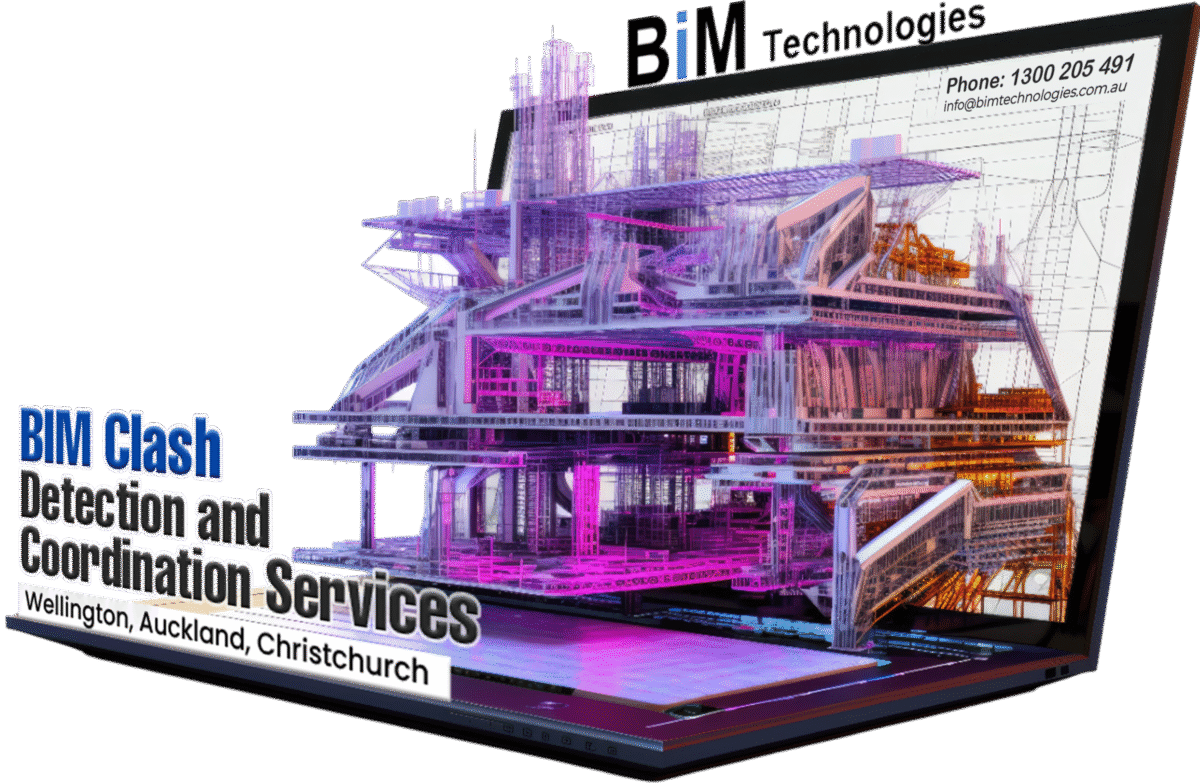
A handy guide on BIM Clash detection and coordination services

Streamline your construction projects in Wellington, Auckland & Christchurch with our BIM clash detection and coordination services. Expert digital engineering solutions for efficient building.

A handy guide on BIM Clash detection and coordination services

Do you know about the great importance of BIM Clash detection and coordination? Before that, you need to know about the critical conflicts between different models such as architectural, structural, MEP etc. When there occur design errors, poor communication, or software incompatibility issues, these conflicts are created, leading to several potential construction issues.

To combat them, Clash detection and resolution tools will be great for identifying and resolving these conflicts. That’s the reason you need to opt for BIM Clash detection and coordination services in Wellington, Auckland, and Christchurch .

When utilised early in the design phase, minimising costlier rework and delays during construction will be facilitated. But that needs the right knowledge about its salient features and some important considerations to be kept in mind. Then, you can reap the benefits of working with BIM Clash Detection and Coordination Services.

Continue reading the blog as it will give you the right knowledge about BIM Clash detection and coordination services in Auckland and help you decide the right name of the service provider in the industry. By understanding the importance, benefits, and considerations of BIM services like 3D Scan to BIM modelling and clash detection, stakeholders can make informed decisions that will ultimately lead to successful project outcomes. Let’s start with the salient features of

The salient features of BIM Clash detection and coordination services :-

To have a basic idea of BIM Clash detection and coordination services in Wellington, these four points will help you a lot. And you will come to know about how the service will work for you.

[ⅰ] Proactive issue detection :

Early identification of potential clashes creates an opportunity to address them without impacting the project timeline.

[ⅱ] Interdisciplinary coordination :

Enhances communication and cooperation among diverse stakeholders, ensuring designs from different disciplines work together harmoniously.

[ⅲ] Methodology :

Clash detection software can effectively identify potential overlaps or interferences from the combined interdisciplinary models. These clashes are highlighted and shared with the relevant design consultants for resolution. Updated designs are incorporated into the main model.

[ⅳ] BIM clash detection :

It helps ensure that all elements of a building fit together appropriately, saving costlier rework and delays on-site. Clash detection is run at the end of the design updating once again to ensure overall coordination.

Top 8 Benefits of 3D Scan to BIM Modeling Services :-

Speaking of all the benefits, this space will be short. This is why; the most significant 8 Benefits of BIM Clash detection and coordination services in Christchurch have been discussed.

[Ⅰ] Streamlined Project Management :

By lessening the number of unforeseen on-site issues, project management becomes more efficient and effective.

[Ⅱ] Accurate Representations :

3D scanning captures perfectly accurate data of existing conditions, which is important for renovations or expansions.

[Ⅲ] Time Savings :

Rapid data collection via 3D scans reduces the time spent on site measurements, allowing for faster project initiation.

[Ⅳ] Risk Mitigation :

Captured data can minimise the risk of errors in design, leading to less costlier mistakes during actual construction.

[Ⅴ] Seamless Integration :

Ensures flawless integration of currently existing conditions into BIM models, ensuring that the design matches well with the original building structure.

[Ⅵ] Enhanced Analysis :

Allows for superior analysis and simulations of energy efficiency, lighting, and other critical design elements.

[Ⅶ] Cost Savings :

Identifying and resolving clashes in time of the design phase can save money that would otherwise be spent on re-work or delays.

[Ⅷ] Improved Quality :

Higher-quality outcomes through detailed analysis can lead to ultimate satisfaction for all project stakeholders.

Top 9 Things to Consider Before Utilizing 3D Scan to BIM Modeling Services :-

To ensure you can take the best benefits of BIM coordination after clash detection Services in Auckland, just consider the below points as well.

[ⅰ] Quality of Equipment :

Ensure that the service provider uses high-quality, up-to-date scanning equipment for accurate results.

[ⅱ] Experience and Expertise :

Look for providers with proven experience in 3D scanning and BIM to guarantee professional handling of your project.

[ⅲ] Compatibility with Other Systems :

Confirm that the final BIM outputs are well-matched with other software systems used in your organization for a seamless workflow.

[ⅳ] Cost Analysis :

Assess whether the investment aligns with your project budgets and long-term goals.

[ⅴ] Post-Processing Options :

Check what post-processing services are accessible to refine the scanned data into a fully functional BIM model.

[ⅵ] Technology and Tools :

Ensure that your provider for BIM coordination after clash detection Services in Wellington employs the latest software tools for perfect and efficient clash detection.

[ⅶ] Expertise of Personnel :

Ensure that the team conducting clash detection has the crucial skills and experience in BIM and project management.

[ⅷ] Thorough Reporting :

Search for such providers that offer detailed reports on clashes identified, making it easier to understand issues and resolutions.

[ⅸ] Collaborative Approach :

Pick up a service that emphasises collaboration between all parties involved to promote a comprehensive understanding of the project scope.

The conclusion | Finding the best solution nearby :-

It has already been understood that BIM clash detection and coordination services are highly required for identifying and thereby resolving conflicts between different disciplinary models. For product, training and service, there is a great solution indeed. Without a second thought, just come to us at BIM Technologies.

We will help you take all the benefits of this proactive approach through BIM coordination after clash detection Services in Christchurch. Significantly it will reduce risks and costs associated with on-site problems. Contact soon .

Seamlessly Design Roads and Electrical Layouts with Civil 3D Roadway Modelling and Autodesk Revit Electrical

Join our Civil 3D Roadway Modelling and Autodesk Revit Electrical courses in Auckland, Wellington, Christchurch. Advance your skills now !

Seamlessly Design Roads and Electrical Layouts with Civil 3D Roadway Modelling and Autodesk Revit Electrical

The civil engineering as well as architecture industries have popularised the use of various advanced tools such as Revit, Civil 3D and more for enhancing the design and improving the overall outcome of the project. For instance, the civil 3D roadway software is used for developing efficient design and analysis of transportation corridors while considering several unpredictable environmental factors. On the other hand, the Revit electrical software streamlines the entire design of the electrical system that would installed within the building projects.

Thus, to ensure that the modern design of the project fulfils the requirement of efficiency and accuracy it is necessary to enrol under the Civil 3D Roadway Modelling Training Course in Auckland, Wellington and Christchurch .

Let’s read this blog, to learn the significance of two innovative and significant softwares.

Understanding the Workflow of Roadway Design Taught Under Civil 3D Modelling Training Course :-

Well, the Civil 3D software is primarily used for designing roads. But how can a user draw the design of the road within this software? If you are beginner then here is the detailed step that describes the entire workflow based on industry recognised and user-defined standards.

Step 1 : Creating an existing surface condition

The first step involves designing the road involves creating a surface based on the existing conditions of the environment. These conditions form the baseline for further design as well as analysis of the new roadway.

Step 2 : Alignment of the design

The second consists of setting the alignment of the design. An alignment establishes the primary horizontal pathway that usually signifies the construction baseline of the road. Alignments can be established using survey data gathered from the field or from current 2D-CAD components like lines and polylines. They can also be made using the diverse range of alignment creation and layout tools available on the software.

Step 3 : Setting the unique criteria for the design

Once the design has been aligned, it’s time to set the constraints that are to be placed on the alignment. The constraints are mainly applied to the speed and superelevation parameters. The design criteria can be assigned at the onset of the alignment layout or at any suitable time during the entire design process.

Step 4 : Generating ground profile and design grades

After applying the constraints, the user must check the existing ground surface data as it helps with the alignment of the design and creating finished grades. The finished grade profiles are created graphically with the help of profile creation tools.

Or these grades can also be generated from the best fit analysis of existing entities or valuable information from an external fie.

Step 5 : Construction of assemblies

Now the user proceeds with construction of the assemblies. Assemblies outline the cross-sectional part of the design and are created by linking individual subassembly objects, thus aiding in simulating the geometry and material composition of the road while also clarifying its interaction with adjacent features along the path.

While the subassemblies are selected from the prebuilt libraries located in the Civil 3D tool palette. Moreover, custom subassemblies can also be created with the help of subassembly composer.

Step 6 : Building the corridor

Corridors are the result of dynamic 3D model representation which is harmoniously built from the combination of horizontal, vertical and cross-sectional design elements.

Step 7 : Conducting proper analysis of the resulting model

After designing the corridors, it is further used for calculating earthworks and quantity takeoffs, conducting sight and visual analysis, generating surface and extracting information solely for construction purposes.

The individual corridor sections are further examined and edited to accommodate unique or localised design conditions.

Step 8 : Conducting final design optimisation of the analysed model

To achieve the best design it becomes mandatory to adjust one or more corridor components. For instance, the design profile can be adjusted to hold a better balance of the cut and fill volumes. The edits can also be done (based on the requirements of the project) with the help of a variety of methods such as grips, tabular inputs and object-specific editing commands.

Things One Can Learn from Autodesk Revit Electrical Training Course :-

Nowadays, most electrical engineers have started to use Revit electrical software for designing, modelling, and documenting the electrical systems that are installed within a building. This software facilitates better collaboration and coordination among the team members.

Due to the growing demand for this software, every electrical engineer should be aware of the benefits, function and application of this particular software. Well, here are some of the key capabilities of this software that one can learn after going for the Autodesk Revit Electrical Training Course in Auckland. These features define how Revit Electrical can be used for designing efficient electrical systems.

[1] Integrated design environment :

Revit offers a unified platform where various professionals can collaborate on a single model, enhancing coordination and communication among the project members. This unified platform further aids in reducing the risk of errors or miscommunication. It also ensures that even the most intricate design of an electrical system can be drafted and modified without a hassle.

[2] Load calculations :

Revit electrical offers load calculation which ensures that the electrical system can efficiently handle the electricity demand of the building without overloading. Load calculation basically consists of estimating the required power load, considering the variable factors of an infrastructure.

[3] Efficient documentation :

Documentation plays a vital role in electrical design. The Revit electrical software enables designers to produce intricate and adjustable sheets, schedules, and reports. The smooth combination of the design and documentation processes guarantees that any alterations to the design are immediately shown in related documents.

[4] Coordination and collaboration :

Electrical design seldom operates in isolation; it needs to coordinate with other engineering disciplines to reduce the risk of errors and costly reworks. However, the Revit electrical software’s work-sharing and coordination review tools make collaboration a breeze. Electrical designers can easily identify and resolve clashes with HVAC, plumbing, or structural elements, resulting in a harmonious approach to building an efficient and effective design.

Why Should One Use Revit for Designing an Electrical System ?

So far you have learnt some of the key capabilities of this software through the Autodesk Revit Electrical Training Course in Wellington. Well, here are some of the key benefits that describe the popularity of this software among electrical engineers.

[1] Streamlined the design process :

By offering a centralised platform, this software promotes streamline of the design process. Thus, various professionals can simultaneously work on a particular project.

[2] Reducing the chances of errors :

Due to the use of centralised platform, the possibility of encountering communication gap gets completely erased, resulting in minimising the occurrence of errors and rework. This also saves the project managers from encountering humiliation caused due to unwanted project delays.

[3] Increases the efficiency :

By automating the manual tasks along with offering a unified platform, this software increases the overall efficiency of the project.

[4] Improves the accuracy of the project :

The harmonious combination of BIM capabilities and 3D modelling plays an influential role in improving the overall accuracy of the entire electrical design.

Conclusion :-

If you are an electrical engineer who is eager to acquire the skills of navigating the Revit software, then you need to go for Autodesk Revit Electrical Training Course in Auckland and Wellington offered by BIM TECHNOLOGIES .

Our experts have the work ethic, creativity, and training to complete your next assignment in a way that will eventually leave you with a sense…

Read More

Useful Links

  • Home
  • Services
  • Autodesk
  • Bentley
  • Autodesk Training
  • Bentley Training
  • Upcoming
  • Contact us

Contact Us

Email : info@bimtechnologies.com.au

Phone : 1300 205 491 (08:30am - 05:30pm)

Mobile : +61 468 085 999 (24x7)

© Copyright BIM Technologies . All Rights Reserved. Website by Getvisibleweb.com
  • Home
  • Services
  • Products
    • Autodesk
    • Bentley
    • Request Free Trial
  • Training
    • Autodesk Training
    • Bentley Training
    • Tekla Training
    • MS Project Training
    • Primavera P6 Training
  • Upcoming
  • Recruitment
  • Contact us