
Welcome to BIM Technologies
  
Artcore
  • Home
  • Services
  • Products
    • Autodesk
    • Bentley
    • Request Free Trial
  • Training
    • Autodesk Training
    • Bentley Training
    • Tekla Training
    • MS Project Training
    • Primavera P6 Training
  • Upcoming
  • Recruitment
  • Contact us

Upcoming Events

[searchandfilter fields=",category,post_tag" headings=",Dates,Cities & Countries" hierarchical="1"]

Tag: Autodesk Fusion 360 Training Sydney

Let’s Unlock The Power Of Revit With Revit MEP 3D Modelling And Fire Protection Along With Autodesk

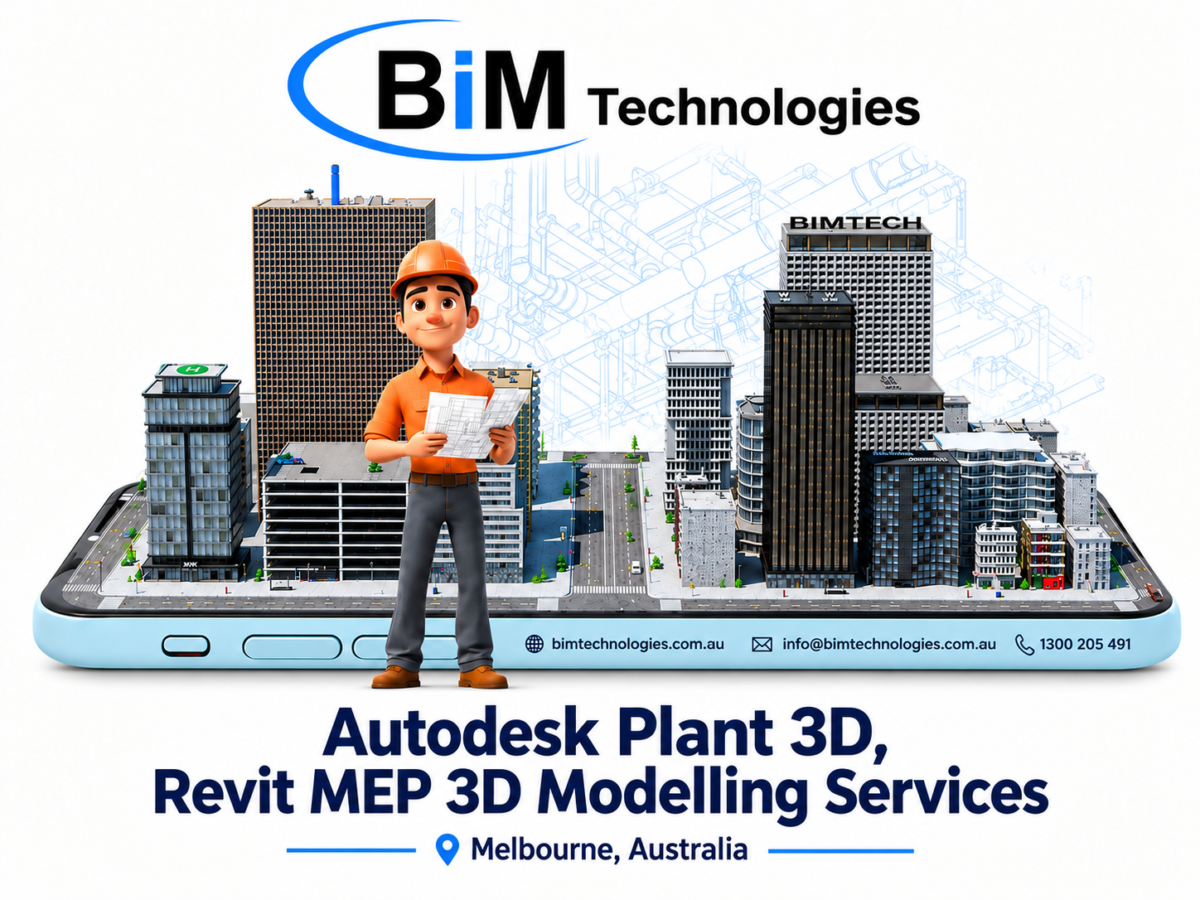
BIM offers expert training in Autodesk plant 3D, Fusion 360, Construction cloud-Revit mep 3D modelling,fire protection services across Melbourne and all Australia.

Let’s Unlock The Power Of Revit With Revit MEP 3D Modelling And Fire Protection Along With Autodesk

Revit MEP is software developed by Autodesk that, like other versions of Revit. This software focuses on the design of complex facilities and systems involving different disciplines through construction information modeling.

Thanks to the BIM methodology, Revit MEP Fire protection 3D modeling services in Melbourne, Perth, Sydney enable effective, real-time collaboration in the shortest possible time .

Revit MEP allows you to create installations of any type. You’ll find projects for hydraulic, sanitary, electrical, and special installations for fast and efficient modeling. The software also offers tools to optimize productivity, analyze performance, and calculate pressure and flow within installations using established parameters.

💬 Key takeaways of Revit MEP software :

⫸ In this software, we find some essential features      

⫸ The ability to create installations without having to draw lines, unlike other programs such as AutoCAD.

⫸ Using 3D views to visualize the work and add elements such as lighting fixtures and junction boxes.

⫸ It also facilitates the correct distribution of pipes and the preparation of installation plans such as isometric plans, electrical plans, lighting location plans, and sanitary plans.

⫸ These plans can be configured and printed.

💬 What are the applications of REVIT MEP ?

🔊 Hydraulic installations :

    Regarding hydraulic installations, with Revit MEP it is possible to carry out works with different types of systems such as hot and cold water systems, direct line systems for irrigation and rainwater harvesting systems.

    With regard to hydraulic modeling, you have the option of using planning tables to quantify pipe diameters or total connections, pipe lengths, and materials.

    🔊 Sanitary facilities :

    The advantage of Revit MEP 3D Modelling Services Melbourne, Perth, Sydney, Footscray, Preston, Moorabbin  for plumbing installations is that you can design pipe slopes according to the project’s specifications, and you can add special equipment to the flow.

    Revit MEP allows you to efficiently design piping, flow, and special equipment with ease, all fully adaptable to the different specifications of your projects.

    🔊 Electrical installations :

    Regarding electrical installations, you can configure the wiring and piping to meet your project’s objectives. For electrical modeling, you can add load centers, lighting fixtures, contacts, wiring, light meters, among others.

    🔊 Air conditioning installation :

    In air conditioning installations, the functions are very similar to the other systems we showed you previously. You can also model and add objects to the routes, such as mechanical devices, grilles, and air conditioning injectors. Additionally, with this software, you can design special gas installations or other elements.

    In addition, there is a system that is Revit MEP Fire protection system. This is mainly focuses on using Revit’s MEP capabilities to design, model, and document fire protection systems like sprinkler systems, fire alarm systems, and smoke control systems. If you choose Revit MEP Fire protection 3d modeling services Melbourne, Perth, Solomon Island, Fiji they will ensure compliance with industry standards and codes.

    📢 Main uses of Revit MEP :

    Revit MEP is used by professionals in the fields of mechanical, electrical, and hydraulic engineering to accelerate the design and construction process of buildings, as BIM allows all stakeholders to visualize, explore, and verify design results from the earliest stages of the project.

    Revit MEP simplifies engineering processes by enabling all stakeholders involved in the project to work within a single model. This improves communication about the building’s intentions and goals even before construction begins. This will enable more accurate and time-saving decisions that significantly reduce overall project performance.

    📢 Revit MEP Features :

    With REVIT MEP, you can create complete, coherent, and well-coordinated designs from models. This maximizes both efficiency and accuracy throughout the entire project, from the initial concept to the manufacturing and construction phase of any building or infrastructure.

    All stages of the project can be managed with REVIT. This will allow any team member to work together, thereby reducing the number of risks and errors.

    🔊 Wide design possibilities :

    Using REVIT MEP, it’s possible to communicate project objectives and potential constraints to the entire team. This will enable them to quickly develop design alternatives based on previously determined parameters.

    🔊 Shared projects :

    All project-related data can be stored in a single model shared by team members, even if each is assigned a specific work area. This feature has the advantage of providing all professionals with real-time information on the overall status of the project, optimizing time and communication.

    🔊 Data exchange :

    This software is compatible with all IFC formats, which are commonly used for data exchange in the construction industry. Therefore, with REVIT, professionals can be assured of full compatibility.

    In short, knowing Revit MEP is essential for construction professionals. In addition, construction professionals also need to have experience in Autodesk Fusion 360, Construction Cloud Training in Melbourne,Perth,Sydney. Here we are giving you detailed guidelines on Autodesk Fusion 360.

    What is Autodesk Fusion 360 ?

    Fusion 360 is a cloud-based CAD platform that is an affordable, highly capable alternative to other major players in the industry. It is easy to use and has all the common features you can expect from popular CAD packages. Fusion 360 was built from the ground up to be an all-encompassing product development solution and aims to offer a simple workflow from conceptual design through manufacturing.

    In addition, if you get Autodesk Fusion 360 Training in Melbourne, Perth, Sydney, you will get to know that this software receives frequent updates and new features arrive every few months. Fusion 360 is ideal for high turnover businesses as well as start-ups looking for a professional tool to get them into the market .

    We hope we’ve helped you gain a clearer understanding of these software and become more familiar with the tools they offers.

    Therefore, if you are looking for the best REVIT training along with Autodesk Construction Cloud Training service in Melbourne, Solomon Island, Fiji get in touch with BIM TECHNOLOGIES .

    Our experts have extensive experience in local as well as International market on variety of structural projects such as Residential buildings, Commercial sector, Educational buildings, Industrial sector as well as Infrastructure.

    Please get in touch to get a quote.

    What Is AutoCAD Software Used For? Use And Opportunities

    If you want to be an interior designer, aerospace engineer, or civil engineer, you should join AutoCAD Training anywhere in Sydney, Perth, and Melbourne. By learning this software, you can easily craft, tweak, and optimise precise 2D and 3D designs as per your requirements.

    What Is AutoCAD Software Used For? Use And Opportunities

    Developed in the 1980s by the publisher Autodesk, AutoCAD is a reference tool in many professions. It allows the design and modelling of creative projects (plans, diagrams, drawings) in 2D or 3D with great precision. It falls into the category of CAD software and allows you to automatically export and update drawings in related programs.

    If you want to be an interior designer, aerospace engineer, or civil engineer, you should join AutoCAD Training anywhere in Sydney, Perth, and Melbourne.

    By learning this software, you can easily craft, tweak, and optimise precise 2D and 3D designs as per your requirements .  

    In this blog, we share with you the main functions of AutoCAD software and we explain its essential place in the professional field.

    AutoCAD Software Overview :-

    Nowadays, AutoCAD is a computer-aided drawing application. Available on Mac Os and Windows, it is at the service of professionals in certain sectors of activity and provides a solution to specific needs related to the exercise of their function.

    With an intuitive interface, AutoCAD offers innovative potential that helps to carry out several tasks such as :-

    (i) Professional tasks

    (ii) Design of construction plans

    (iii) Modelling

    (iv) 3D Visualization

    (v) Animating objects

    This software offers many creative possibilities with the only limit being your imagination. It integrates a plurality of complementary tools that provide a solution to the specific needs of the business sectors. Building on its potential, AutoCAD versions evolve regularly to offer a wealth of features that meet the specific needs of certain professions.

    In addition, if you want to analyse the subsurface environments for Geoengineering projects, join in Bentley Plaxis Training in Sydney .

    Types of AutoCAD :-

    Below are some of the most prominent types of AutoCAD available :-

    (i) AutoCAD LT :

    This is a simplified version of AutoCAD, designed for users who need the essential capabilities of 2D design without the advanced functionalities of 3D modelling and automation.

    (ii) AutoCAD Architecture :

    This version is specifically aimed at architects and architectural design professionals.

    (iii) AutoCAD Mechanical :

    AutoCAD Mechanical incorporates libraries of standard mechanical engineering components such as bolts, nuts, bearings, and gears.

    (iv) AutoCAD Electrical :

    This version is focused on the design and documentation of electrical systems. It includes a wide range of standard electrical symbols and tools for designing circuits, schematics, and control panels.

    (v) AutoCAD Civil 3D :

    This is the standard for the design and documentation of civil engineering projects.

    (vi) AutoCAD Plant 3D :

    AutoCAD Plant 3D offers specific tools for the creation of process flow diagrams (P&ID), 3D plant models and the management of industrial projects. This release enables plant engineers and designers to create accurate and detailed designs of industrial facilities, facilitating the coordination and planning of complex projects.

    (vii) AutoCAD Map 3D :

    Aimed at mapping and cartography professionals, AutoCAD Map 3D integrates CAD and GIS tools for creating and managing spatial data.

    Why should you take AutoCAD Training ?

    Autodesk AutoCAD is the most popular program for interior design. It can be used to create project drawings for apartments, cottages, houses and just rooms. In addition, it is an ideal choice for those who want to gain practical design experience.

    Nowadays, AutoCAD is in demand in interior and landscape design, design and architecture. Using this tool for design makes the process more efficient and convenient, and advanced training at the training centre will help you get a job in the studio of your dreams or create a project for yourself.

    Who is AutoCAD training suitable for ?

    AutoCAD is the most widely used CAD and DAO software on the market. It will provide great success and its mastery has become an essential skill for landing certain positions. It represents technical expertise highly sought after by recruiters.

    Professionals who are proficient in AutoCAD are often referred to as “AutoCAD draftsmen or technicians.” Among the positions that require a good knowledge of AutoCAD, here we will show you who wants to precede his career in AutoCAD.

    (1) For university students and newcomers to design :

      This field is perfect for those who want to learn how to create interior drawings in AutoCAD. This will make an interior design project for your portfolio and be able to get a job as a designer after training, where you will implement your practical skills.

      (2) For those who need to master interior design in AutoCAD for work :

      You will study the capabilities of AutoCAD from A to Z: learn how to create a complete set of design project drawings, increase the speed and quality of your projects and be able to earn even more.

      (3) For those who want to improve their design skills in AutoCAD :

      The training will be useful for designers. You will learn how to speed up the creation of a design project in AutoCAD. You will learn life hacks from specialists in the field of design documentation and will be able to create more complex interior projects in AutoCAD.

      AutoCAD Training Sydney, Perth, Melbourne

      What you will learn from AutoCAD software ?

      (i) Create professional-quality drawings :

      Learn to make drawings using simple tools.

      (ii) Explore only the functionality needed for interior designers :

      You will learn simple drawing tools, editing, inserting, annotation, layers, customizing templates, and frames.

      (iii) Create a complete package of working documentation :

      You will develop a complete set of drawings and documentation to present to the customer.

      (iv) Follow design standards :

      You will get acquainted with the rules of drawing in several versions.

      (v) Prepare drawings for export and printing :

      Learn how to export and import PDF files and Excel spreadsheets.

      (vi) Optimize your work with AutoCAD :

      You will learn how to automatically calculate almost everything – deriving from the layout all the information you need.

      How to install AutoCAD :-

      Step 1 | System Requirements :

      Before you begin the installation, make sure your computer meets the minimum system requirements for AutoCAD.

      These generally include :-

      (I) Operating System : Windows 10 (64-bit) or MacOS 10.13 (High Sierra) and above.

      (II) Processor : 2.5 GHz (3+ GHz recommended).

      (III) Memory : 8 GB RAM (16 GB recommended).

      (IV) Disk space : 6 GB of available space.

      (V) Graphics Card : 1GB GPU with 29GB/s bandwidth and DirectX 11 support.

      Step 2 | Download AutoCAD :

      (i) Visit the official Autodesk website.

      (ii) Sign in with your Autodesk account or create a new one if you don’t have one.

      (iii) Then select the version of AutoCAD you want to install.

      (iv) Click the “Download” button.

      Step 3 | Start the installer :

      (i) Once the download is complete, locate the installation file in your download folder.

      (ii) Double-click the file to start the installer.

      (iii) If a User Account Control (UAC) window appears, click “Yes” to allow the program to make changes to your computer.

      Step 4 | Installation Process :

      (i) The installer will open and guide you through the installation process.

      (ii) Select your preferred language and click “Next”.

      (iii) Accept the terms of the license agreement and click “Next.”

      (iv) Choose the default installation location or select a new path and click “Next”.

      (v) Select any additional components you want to install and click “Install”.

      Step 5 | Activate AutoCAD :

      (i) Once the installation is complete, launch AutoCAD from the icon on your desktop or start menu.

      (ii) When you open the program for the first time, you will be asked to enter your serial number and product key, which you received at the time of purchase.

      (iii) Enter the required information and click “Activate”.

      Step 6 | Updates and Initial Setup :

      (i) After activation, AutoCAD may automatically check for updates. Then install them to ensure that your software is up to date.

      (ii) Set your initial preferences, such as measurement units, default file locations, and user interface customization.

      Master in AutoCAD with our training :-

      AutoCAD design and drawing software is an essential asset for increasing productivity, speed and comfort at work. It has many uses, hence the importance of mastering it perfectly.

      So if you want to learn this topic in depth, you have to join Autodesk Fusion 360 Training in Sydney, Perth, and Melbourne .

      At BIM TECHNOLOGIES, We have designed the necessary steps to learn this course. After completing the course successfully, we will give you a worldwide accepted certificate for this course.

      Get in touch with us !

      Our experts have the work ethic, creativity, and training to complete your next assignment in a way that will eventually leave you with a sense…

      Read More

      Useful Links

      • Home
      • Services
      • Autodesk
      • Bentley
      • Autodesk Training
      • Bentley Training
      • Upcoming
      • Contact us

      Contact Us

      Email : info@bimtechnologies.com.au

      Phone : 1300 205 491 (08:30am - 05:30pm)

      Mobile : +61 468 085 999 ( 24 x 7 Answered by AI)

      © Copyright BIM Technologies . All Rights Reserved. Website by Getvisibleweb.com
      • Home
      • Services
      • Products
        • Autodesk
        • Bentley
        • Request Free Trial
      • Training
        • Autodesk Training
        • Bentley Training
        • Tekla Training
        • MS Project Training
        • Primavera P6 Training
      • Upcoming
      • Recruitment
      • Contact us