
Welcome to BIM Technologies
  
Artcore
  • Home
  • Services
  • Products
    • Autodesk
    • Bentley
    • Request Free Trial
  • Training
    • Autodesk Training
    • Bentley Training
    • Tekla Training
    • MS Project Training
    • Primavera P6 Training
  • Upcoming
  • Recruitment
  • Contact us

Upcoming Events

[searchandfilter fields=",category,post_tag" headings=",Dates,Cities & Countries" hierarchical="1"]

Month: April 2025

Enhance the Accuracy and Efficiency of the Project with As-Built & Digital Modelling Services

As Built, Digital Modelling Services in Wellington, Christchurch-As built, Structural, Mechanical, Tekla shop drawing services Wellington, Auckland, Christchurch-bimtech

Enhance the Accuracy and Efficiency of the Project with As-Built & Digital Modelling Services

In the realm of modern construction and facility management, As-Built, Digital Modelling Services in Wellington and Christchurch play a crucial role in offering accurate representation of the physical structures right after their completion.

While as-built models capture the original dimensions, digital modelling enhances the collaboration among the stakeholders due to its real-time updates and simulations. Ultimately, both of these services have a significant influence on increasing the efficiency and longevity of the project, working in the construction industry. Besides, in this blog we have discussed some of the key benefits related to the uses of mechanical, structural and tekla shop drawing services.

Understanding the Workflow of Digital Modelling Services :-

In simple words, digital modelling is recognised as an efficient process of developing digital models, virtually representing physical objects. However, to achieve such results this service makes use of specialised software that is known for creating detailed and accurate representations of the physical objects by capturing their geometries, characteristics and dimensions.

Let’s take a look at the workflow involved in Digital modelling Services in Wellington, Christchurch and Auckland :

Step 1 : Capturing the data

In this first step, the data is captured with the help of varied techniques. The use of these techniques completely depends on the information available regarding the physical object. For instance, 3D scanning is used for capturing the shape and geometry of the object based on its measurements and references.

Step 2 : Creating accurate digital models

After successfully capturing the data, an efficient 3D modelling software is used for the creation of the model. With the help of this software, you could easily modify the shape of the mode and add details to accurately represent the physical object.

Step 3 : Refining and optimising the model

While designing the model, it is further refined and optimised. This helps with eliminating the errors, correct any possible distortions and add additional details to the model (if required). This type of precise detailing ensures that the digital model turns out to be the faithful representation of the captured physical object.

Step 4 : Exporting the digital models

Once everything has been finalised, the final representation of the model is exported in a suitable format for its further use such as analysis, prototyping and more.

Thus, Digital Modelling Services in Wellington has been identified as one of the powerful as well as indispensable technique to accurately develop 3D detailed digital models, contributing in in-depth analysis and efficient collaboration.

Exploring the Significance of As-Built Modelling Services :-

In today’s world if there is a well-recognised process of generating a digital depiction of any built infrastructure or facility then it has to be As Built modelling Services in Wellington, Christchurch and Auckland. This process ensures that if any changes have been made to the physical as well as functional aspect of the project then not only should it be captured but must be documented as well.

Besides, here are some of the reasons that demonstrate the significance of this particular service :

[1] It helps with accurate documentation of the project :

As discussed, if any alterations or adjustments have been made throughout the construction process then it gets precisely recorded. Due to this, the stakeholders of the project can easily comprehend the information and accordingly make their decisions. On top of that, this documented information can be used for future references as well.

[2] It assists with the maintenance and management of the facility :

The teams who are in charge of the facility management and maintenance could derive huge benefit out of this service. Based on the model, the facility managers can speed up their maintenance process, obtain precise specifications and accordingly schedule their tasks. Overall, this service increases operational effectiveness, decreases the downtime and optimises the resource allocation.

[3] It is helpful for value engineering and cost estimation :

Accurate representation of the as-built models plays a vital role in cost prediction and value engineering. With the help of these models, the assigned individuals could precisely calculate the estimated list of materials and costs required for the final execution of the project.

Additionally, these models have a positive influence over budgeting as it can be performed with accuracy and sound knowledge, improving the vitality of the project.

[4] It enhances the safety measures required for the project :

The digital models that are made with the help of As-Built modelling services in Wellington aid in strengthening the safety measures while making it safe from any catastrophe results. Besides, these models are also known for detecting the presence of possible risks so that the user can implement proactive mitigation measures.

[5] It prevents clashes and establishes strong coordination among the team members :

While developing various kinds of components, it is quite natural that there would be some kind of collision and conflict between these components. But with the help of this service, any degree of conflict can be identified in its initial stage, promoting efficient coordination and teamwork while minimising the cost incurred for unwanted expenses. This proactive method has a strong influence on raising the quality and efficiency of the construction project.

[6] This service simplifies the concept of renovating and retrofitting :

Well, this service generates an accurate representation of an infrastructure or facility. Thus, making it easier for the user to plan and act on the required restoration and adjustment ideas. Due to the multi-varied benefits derived out of this service, this service has established as strong and significant position in the construction industry.

The Role of Mechanical Shop Drawing Services in Construction Projects :-

In the intricate landscape of the engineering projects, the Mechanical Shop drawing Services in Auckland, Christchurch and Wellington have turned out to be the backbone for any mechanical endeavour. Well, the mechanical shop drawings are known for containing detailed technical illustrations related to the mechanical components that would be used within the project.

These detailed drawings can also be considered as a comprehensive guide that is widely used by the remaining stakeholders involved in this process. Apart from containing precise information regarding the use of different mechanical components, here are some of the tasks that are performed under this service to maintain the accuracy, functionality and quality of the project.

[1] Establishing coordination among trades :

Construction projects demands multiple teams to work on different systems. But with the help of Mechanical Shop drawing Services in Wellington, the user could obtain an easy understanding as the detailed illustrations clearly specifies the way the mechanical components would interact with each other. This protective measure avoids potential clashes, resulting in saving a significant portion of time and money.

[2] Offers proper guidance over construction and installation :

The drawings that are generated out of this service serve as a clear roadmap for both the contractors and technicians especially during the installation process. The detailed instructions placed on the drawings assist these professionals in conducting proper placements while adhering to the safety protocols. Not only does it reduce the risk of errors but also leads to an efficient and high-quality installation.

[3] Offers detailed specifications regarding the mechanical components :

The mechanical shop drawings are also known for containing precise measurements regarding the essential mechanical components. These detailed measurements ensure that the components not only fit perfectly but also perform their desired functions.

[4] Facilitating the approvals for permits :

Generally, the authorised department demands a detailed sketch of the construction plan before offering the permit. Hence, mechanical shop drawing plays a pivotal role as the comprehensive nature of the drawings demonstrates the detailed planning along with the compliance of the building codes. This type of detailed information streamlines the approval process.

In short, the mechanical shop drawings serve as a blueprint for implementing powerful mechanical systems within the construction project. This also ensures that the project maintains precision, efficiency and cost-effectiveness.

What is the Similarity between Structural & Tekla Shop Drawing Services ?

Although Structural, Tekla Shop drawing services in Auckland, Christchurch and Wellington produce different kinds of drawings, both of them share the similar goal of producing precise and detailed drawings.

Both of these services lay their focus on maintaining accuracy within their detailed drawings which helps in establishing effective communication among the stakeholders.

On top of that, both of the services aim to streamline the construction process, minimise the error and adhere to the building codes. Thus, both of these are quite essential in achieving successful construction outcomes.

Exploring the Importance of Structural Shop Drawing Services :-

Similar to mechanical shop drawings, Structural Shop drawing services in Auckland, Christchurch and Wellington contain precise details of developing buildings/equipment along with their final results. This detailed information ensures that every essential component has been lined up together as per the relevant industry rules.

These detailed drawings offer a visual representation of the various structural elements that are to be fabricated, assembled and installed. Moreover, it also contains pertinent details that are required during the fabrication and construction process.

In short, the structural shop drawings also contribute to establishing a proper line of communication among the project stakeholders, ensuring that the structure is built as per the intended design while fulfilling every safety and regulatory requirement.

Key Uses of Tekla Shop Drawing Services :-

Well, Tekla Shop drawing services Wellington leverages the use of Tekla Structures software which is considered as the pioneer tool for constructing 3D modelling. This leading-edge software has completely enhanced the pace and convenience of the designing process while achieving better accuracy.

But this service is entirely focused on creating detailed as well as accurate shop drawings which aids in streamlining the construction process while reducing the chances of errors. Here are some of the key uses of this particular software :

[1] It reduces the chances of errors and delays :

With the help of automated drawing generation, this entire service reduces the chances of errors which used to get caught while performing it through manual approach. This precision further prevents the incidents of unfortunate delays, saving substantial amount of time and effort.

[2] It improves the accuracy of the project :

The drawings that are generated out of this service remain updated with the changes made in the 3D model. This ensures that the accuracy as well as the consistency of the project has not been hampered.

[3] It optimises the fabrication process :

The efficient approach of managing the materials along with CNC data generation facilitates optimising the fabrication process.

[4] It saves a significant portion of time :

Due to its automated processes and efficient management of workflows, this entire process ends up saving a significant portion of time and resources involved with the project.

[5] It enhances team collaboration :

The drawings that are generated out of this service can be seamlessly integrated with the other software, resulting in establishing better collaboration among the remaining project stakeholders.

[6] It detects issues in the early stages of the design process :

The detailed drawing represents the accurate structure of the model. So, if there is an issue within the layout then it can be easily identified. Hence, saving you from the hassle of reworks and delays.

Conclusion :-

So, if you want to learn more about the use of As built, Structural, Mechanical, Tekla shop drawing services in Wellington, Auckland, and Christchurch then make sure to contact the team of BIM TECHNOLOGIES.
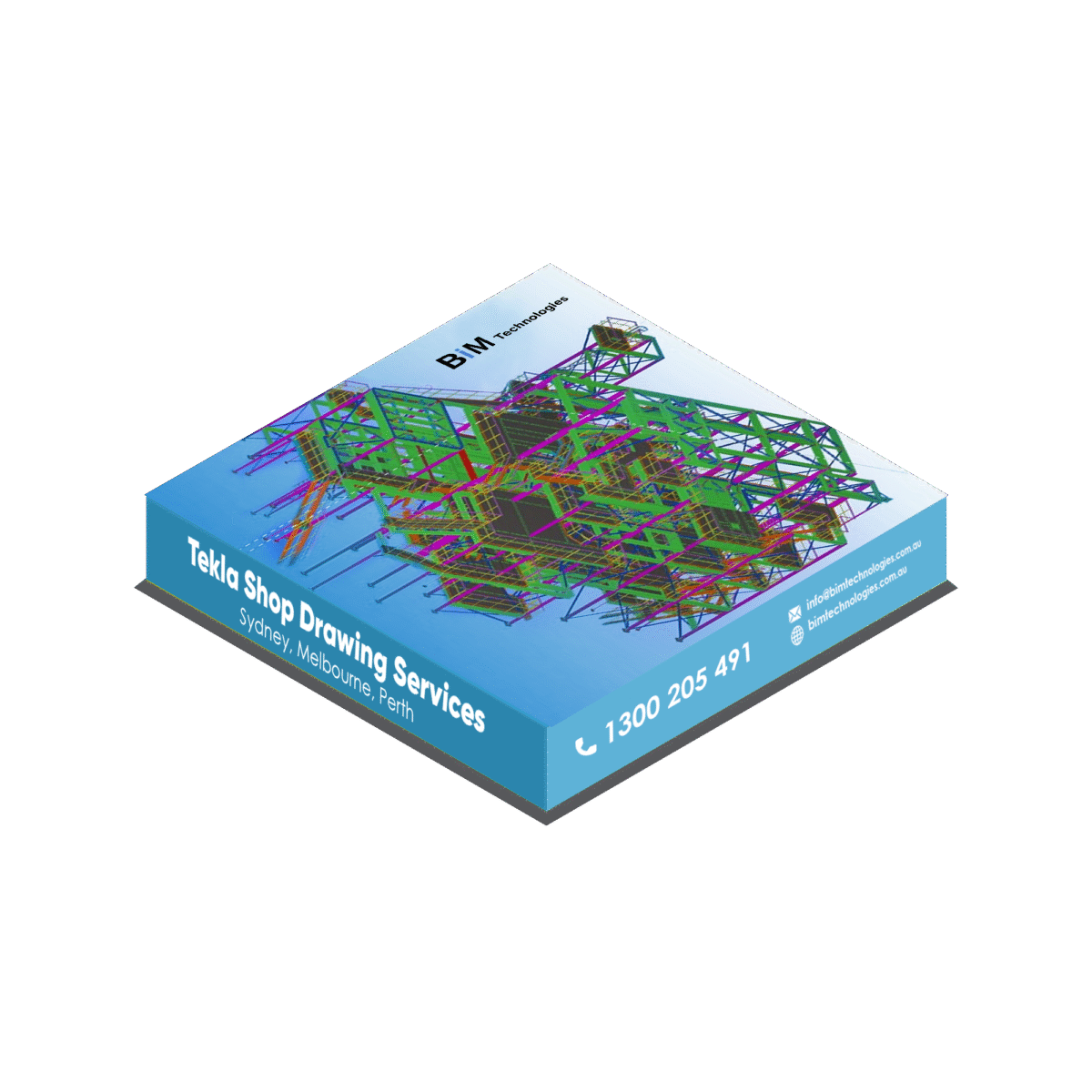
Everything You Should Know About Tekla Shop Drawing Service

Tekla Shop drawing is Building Information Modeling (BIM) software widely used in the construction and engineering industries, particularly for steel and concrete structures. Read the below content to know more information in detail.

Everything You Should Know About Tekla Shop Drawing Service

Construction design is a complex and responsible stage in the creation of infrastructure and structures. One of the key areas in this process is the KMD (metal structures detailing) section, which deals with the detailed development of metal elements of the structure. Modern technologies and software significantly improve the efficiency and accuracy of this process.

One of the leading tools in this area is the TEKLA STRUCTURES program. This is advanced structural design software that enables engineers and designers to create high-quality 3D models of various structures, including metal detailing elements. The program provides a powerful set of tools for modelling, analysis, detailing and documentation.

Therefore, if you are going to create a large structure like a bridge, and want to hire a service that will help you to give precise and accurate fabrication of steel components, you can hire Tekla Shop drawing services Sydney, Melbourne, Perth and Wellington as per your requirement.

Read the below content to know more about this 3D modelling service in details.

What is Tekla Shop Drawing ?

The “Tekla Shop Drawing” is a service that consists of detailed and technical drawings that you can create by using Tekla Structures software. You can use this software in the construction industry to design and detail steel structures and create a unique drawing. In this highly precise plan drawing which is generated from a 3D model, you can provide all the necessary information for fabricating and installing components on a construction site, including dimensions, material specifications, and assembly instructions.

All of the information will automatically be generated based on the model design. They can plan urban sewers and design overflow remediation systems more precisely.

The main tasks of Tekla software are :

  • 3D modelling of simple and complex structures made from the latest materials
  • creation, transfer and management of construction information
  • application development
  • automatic copying and processing of drawings
  • organization of multi-user access
  • automated creation and copying of parts and connections

But along with creating and managing structural models of the building, it is also necessary to plan the sewer connection of the building more accurately.

For this, you have to hire some professionals who have already taken Bentley SewerGEMS Training in Sydney, Melbourne, Perth and Auckland are experts in this subject.

Importance of using Tekla Structures in design :-

When designing, preparing for production, constructing and operating buildings and structures, it is necessary to create working documentation with a thorough and detailed description of all elements of the structure. The quality of the project preparation determines the level of complexity you achieved during its creation. The most complex objects force the use of the most advanced design automation systems – CAD.

Tekla design software and technologies allow you to get the best, and often simply unique results in information support at all stages of the project life cycle. A special feature of Tekla Structures is the relative simplicity of work for the designer with parts and project units intended for inclusion in the working model, which was prepared by other specialists or even at another enterprise.

Key benefits of designing in TEKLA STRUCTURES :-

[1] Accurate 3D modelling :

Tekla Structures enables you to create detailed 3D models of metal parts and their connections. This helps engineers better understand the structure and identify potential problems early in the design phase.

[2] Integration and Collaboration :

The program enables collaboration between different professionals such as engineers, architects and clients through support for multiple file formats and cloud services.

[3] Automation and optimization :

Tekla Structures automatically generates detailed drawings based on the 3D model, speeding up the design process. The program also enables load analysis and optimization of the structure to improve its reliability and efficiency.

[4] Detailing and annotation :

Creating detailed drawings with dimensions, annotations and specifications is an important part of the KMD design. Tekla Structures provides rich capabilities for creating informative and understandable drawings.

Construction design by using Tekla Shop drawing services :-

✦ Creating a 3D model :

The first step of a construction design using Tekla Structures is to create a 3D model of the building. Engineers can model various elements such as beams, columns, trusses, stairs, and connections using a library of standard components.

✦ Detailing connections and elements :

Tekla Shop drawing provides many tools for creating different types of connections and details. Engineers can work out each element in detail, adding bolts, welds, and other details.

✦ Analysis and optimization :

The program allows you to analyze the loads on metal structures and optimize them to achieve the best results. This helps ensure that the structure will meet all safety and reliability requirements.

✦ Drawing and schedule generation :

Tekla Structures automatically creates detailed drawings for all elements and connections, including views from different angles, dimensions and annotations. This reduces the time needed to create documentation and reduces the risk of errors.

✦ Collaboration and data exchange :

The program enables easy collaboration between different project participants. Data can be exchanged between different programs and platforms, which improves coordination and communication.

But, there is no point that this service can accurately design sewer lines as per the requirement. For this, you need to take OpenFlow SewerGEMS Training in Perth, Sydney, Melbourne and Christchurch. With SewerGEMS, you will analyze all sanitary and combined sewer system elements in one package.

Know about the task that the Tekla Shop drawing team does ?

Here are some of the main responsibilities that the design team should fulfil :

[ⅰ] Interpretation of design drawings :

Analyze and understand architectural and engineering drawings to extract the necessary information related to steel structures.

[ⅱ] Create detailed drawings :

Develop detailed drawings that specify dimensions, materials and other requirements for the fabrication and construction of steel components.

[ⅲ] Structural modelling :

Creation of detailed 3D models of steel and concrete structures using Tekla Structures. This includes the accurate representation of beams, columns, joints and other structural elements.

[ⅳ] Connection design :

Design and detailing of connections between different structural components to ensure they comply with engineering standards and specifications.

[ⅴ] Drawing Generation :

Generation of detailed manufacturing and construction drawings directly from the Tekla model. This involves the creation of plans, elevations, sections and other construction documentation.

[ⅵ] Material Quantities :

Extraction of material quantities and production of reports for cost estimating, procurement and project management purposes.

[ⅴ] Clash Detection :

Performing clash detection to identify and resolve any clashes or conflicts between different building elements within the model.

[ⅵ] BIM Coordination :

Collaboration with other project stakeholders, including architects, engineers and contractors, in a BIM environment. Tekla Structures facilitates coordination and information exchange between disciplines.

[ⅶ] Customization :

Configure and customize Tekla Structures to meet specific project requirements and adhere to industry standards.

[ⅷ] Shop Drawing Review :

Review and approve shop drawings produced by steel fabricators or concrete contractors to ensure they conform to the original design.

[ⅸ] Construction Sequencing :

Using Tekla Structures to visualize and simulate construction sequences, helping with project planning and coordination.

[ⅹ] Model Updates and Revisions :

Manage and implement Tekla model updates and revisions as the project progresses and design changes occur.

Tekla designers are essential to effectively translate engineering designs into detailed, accurate models that can be used for manufacturing, construction and project management.

Along with Tekla model design, you can also join in Openbridge Modeler course in Melbourne, Sydney, Perth and Wellington . This course will teach you how to model concrete and steel bridges using OpenBridge Modeler tools.

But where do you learn Tekla Shop drawing course and how to choose the best centre where you will learn to use 3Dmodelling service and hire a specialised team for your project? BIM TECHNOLOGIES got you covered. Below, we are giving you a small example of this subject.

How does BIM TECHNOLOGIES help you in Tekla structure service ?

Our company is one step ahead in the development of design. At first, there was a drawing board, pencil and paper, then we started using a mouse and a computer and creating drawings faster. Then flat design became three-dimensional, but today it is only BIM.

BIM is the process of creating and managing information about a construction project at all stages of the project’s life cycle: planning, modelling, construction, and operation of the building.

We offer professional modelling of metal detailing design projects in Tekla Structures at low prices. You can find out the cost of the service, as well as order turnkey design of KMD in Tekla Structures in various places like Melbourne, Sydney, and Perth.

Our company’s specialists have accumulated extensive design experience as a result of implementing a large number of complex projects. Development of drawings and calculation of metal detailing structures (KMD) using BIM modeling is performed in Tekla Structures, Advance Steel or Autodesk Revit.

The composition of the complete project of metal structures includes a 3D model of metal structures, from which factory drawings, diagrams, drawings of units, drawings of shipping marks, drawings of plates for CNC machines and drawings of individual items are produced, which are completed with reports and specifications for the elements.

This composition of the 3D project has undeniable advantages compared to traditional drawings :

[1] Taking into account the technology and installation of metal structures allows you to select and apply the most optimal and constructive solutions for the building frame and its individual units.

[2] According to this project, you can immediately begin to manufacture metal structures and install them.

Ending note !

As you have a basic idea about the benefits of hiring Tekla Shop drawing service for your upcoming project. For this, you can opt for BIM TECHNOLOGIES. Our specialists have significant experience in industrial and civil design, which allows us to perform work of any complexity without loss of quality.

For more detailed information on the service of designing KMD in Tekla Structures, get in touch with us!

Why Is It Important For Architects To Know Revit 3d Modelling? – Explain This Service In Details

Revit is an essential program for anyone who works or intends to work in the engineering or architecture field. Find out everything it allows you to do!

Why Is It Important For Architects To Know Revit 3d Modelling? – Explain This Service In Details

It is important to know that you cannot be an architect simply by learning Revit.

However, the perfect knowledge on Revit structure, architecture 3d modelling services in Wellington, Christchurch, Auckland are an important step in the professional growth of a modern specialist.

Revit is a must for a successful career as an architect, so learning this program is a smart decision for anyone serious about their future.

If anyone still doubts why they should take Revit courses and master this program, here are some undeniable arguments :

Working in Revit, you can avoid adjustments and problems by exchanging information with related departments.

Thanks to the fact that Revit allows designing using BIM technology, the speed of issuing working documentation increases several times, and the occurrence of collisions that are usually detected at a construction site are practically reduced to zero.

Having mastered Revit 3d Modelling Services in Christchurch, Auckland, and Wellington, you will not only be able to automatically create drawings, but also master a new design technology, in which the object itself is first created, and then drawings are derived from it.

For more information about the Revit course or service, here we will show you a brief guide on this subject.

What is Revit ?

The software can be used for generative design, which has strict restrictions and specifically defined goals. The program is suitable for the simultaneous work of several specialists within one project, while all changes and data will be saved in a single centralized file. The approach helps to reduce time costs and improve communication between designers. After completing Revit training course in Wellington, Christchurch, Auckland, you can create detailed specifications that provide an idea of ​​​​each model from the entire project.  

The program works on Building Information Modeling (BIM). This is a methodology that is used to create and manage digital representations of the physical and functional characteristics of buildings. BIM combines information about all aspects of a building into a single model that includes data on the structure, materials, engineering systems, energy efficiency, and other parameters.

This system allows architects, engineers and builders to work together on a project. In addition, this will reduce errors and optimise the construction process. BIM is used at all stages of the building life cycle.  Starting from design and construction to operation and dismantling, you can find BIM everywhere.

How is Revit Architecture used ?

The Revit architecture 3d modelling services in Christchurch, Wellington, and Auckland are used by architects and other construction professionals to help reduce risk, gain insight into how buildings will perform before construction begins, develop higher-quality designs, and improve project delivery.

For example, an architecture school might use Revit Architecture as the software of choice to help its 600 full-time students gain real-world experience using a BIM workflow to build high-impact 3D models.

In the case of an architectural and engineering services firm, Revit Architecture can be used to accelerate the complex design and construction of a building that involves distillery processing equipment and allows for a high level of future maintenance and improvements.

Ultimately, Revit Architecture is used to create accurate building designs, minimizing the time required to coordinate and design in a virtual environment. This, in turn, allows ideas to be worked on more quickly and helps maintain better consistency across projects.

Ten important reasons to choose Revit architecture :-

Revit Architecture helps capture early design thinking to better support design, documentation, and construction and facilitate smarter, more sustainable designs by analyzing materials, quantities, solar position, and solar effects. Revit Architecture also enables you to gain greater design insight through in-process visualization and analysis. Let’s learn the top 10 reasons to use Revit Architecture on our projects:

[1] Conceptual design environment :

Autodesk Revit Architecture’s innovative new conceptual design capabilities offer easy-to-use tools for free-form modelling and parametric design, as well as the ability to perform preliminary design analysis. Sketch freely, quickly create 3D forms, and manipulate shapes interactively. Prepare your models for fabrication and construction with built-in tools to create and clarify complex shapes.

Autodesk Revit Architecture automatically builds a parametric framework around the most complex shapes as you continue to design, offering greater levels of creative control, accuracy, and flexibility. Take your design from conceptual models to construction documents, all within an intuitive environment.

[2] Building Generator :

The Building Generator feature in Revit structure 3d modelling services in Christchurch, Auckland, and Wellington helps you turn your conceptual shapes into fully functional designs. Select and add to faces, walls, roofs, floors, and curtain wall systems. Extract important information from your project, including gross floor area per story.

[3] Two-way Associativity :

A change to any component represents a change to the entire project. In Autodesk Revit Architecture, model information is stored in a single, coordinated database. Revisions and changes to information are automatically updated throughout the model, minimizing conflicts between different versions and greatly reducing unexpected problems.

[4] Parametric components :

Parametric components, also known as families, are the foundation for all building components designed in Autodesk Revit Architecture. These components provide an open, graphical system for conceiving designs and crafting forms while offering the opportunity to fine-tune and express design intent at different levels of detail. Use parametric components for highly elaborate assemblies such as cabinets and equipment, as well as for the most basic building parts such as walls and columns. Best of all, no programming or coding language is required.

[5] Information Tables :

Information tables provide another view of the broader Autodesk Revit Architecture model. Changes to one information table are automatically reflected in all other views. Functionality includes associative, split information table sections, as well as design elements selectable through information table views, formulas, and filters.

[6] Details :

The extensive detail library and detailing tools provided by Autodesk Revit Architecture allow for extensive pre-qualification, making it easy to align with the CSI format. Detail libraries can be created, shared, and tailored to your office standards.

[7] Material Takeoff :

Calculate detailed material quantities with the Material Takeoff feature. This feature is ideal for sustainable design projects and for accurately verifying material quantities in cost estimates, while making the process of tracking material quantities much easier. As a project evolves, Autodesk Revit Architecture’s parametric change engine helps ensure that material takeoffs are always up to date.

[8] Intuitive User Interface :

The new version of Autodesk Revit Architecture features a simplified user interface. Find your favourite tools and commands faster, locate less-used tools more efficiently, and discover useful new features more easily. The result is less time searching through menus and toolbars, and more time getting your work done.

[9] Sustainable design :

After learning the Revit Architecture Fundamental Training Course in Christchurch, Wellington, you can do sustainable design processes from the earliest stages. Export building information to the extensible green building markup language [gbXML]. Perform energy analysis using Autodesk Green Building Studio web-based services, and study building performance with the specific software of Autodesk. Use Autodesk 3ds Max design software to accurately assess indoor environmental quality under LEED 8.1 certification.

[10] Design visualization :

Create and capture photorealistic design ideas and contextual environments to experience your project, even before construction. Integrated rendering with mental ray helps deliver high-quality output, with faster render times and superior design presentation.

Are there ready-made plugins for Revit ?

Yes, and many of them — both paid and free. Some solve global problems — help transform drawings or automate processes. Also, there is a plugins for autosaving a file and creating a backup. There are plugins with a more specific purpose – for example, they automatically position skirting boards or check which way the doors in a room open.

How to learn to work in Revit ?

As you can see Revit is a software package that implements the principle of building information modeling (BIM). It is intended for architects, designers of load-bearing structures and engineering systems.

Therefore, if you want to learn how to work with Revit, join BIM TECHNOLOGIES to learn Revit architecture Fundamental Training Course Wellington, Christchurch, Auckland.

After completing the course from us, you will get an Autodesk globally accepted certificate. Once the basics are mastered, it is worth moving on to practical training – creating your projects or copying existing ones. This approach encourages you to look for specific solutions on forums and in training videos.

Therefore, to know more about this service, get in touch with us !

Our experts have the work ethic, creativity, and training to complete your next assignment in a way that will eventually leave you with a sense…

Read More

Useful Links

  • Home
  • Services
  • Autodesk
  • Bentley
  • Autodesk Training
  • Bentley Training
  • Upcoming
  • Contact us

Contact Us

Email : info@bimtechnologies.com.au

Phone : 1300 205 491 (08:30am - 05:30pm)

Mobile : +61 468 085 999 (24x7)

© Copyright BIM Technologies . All Rights Reserved. Website by Getvisibleweb.com
  • Home
  • Services
  • Products
    • Autodesk
    • Bentley
    • Request Free Trial
  • Training
    • Autodesk Training
    • Bentley Training
    • Tekla Training
    • MS Project Training
    • Primavera P6 Training
  • Upcoming
  • Recruitment
  • Contact us